
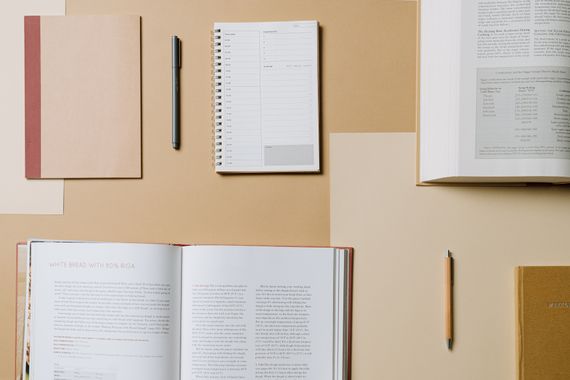
Photo: cottonbro studio / Pexels
Why keep a recipe notebook
Your saved recipes aren't a recipe notebook. They're a queue of tabs you'll get to "later." Later doesn't really exist online. The recipe you saw on Tuesday, loved, and meant to make Saturday — you'll spend twenty minutes hunting for it, give up, and make scrambled eggs instead.
The problem isn't a shortage of recipes. It's an oversupply, stored in the wrong place. Everyone has hundreds of recipes saved, pinned, screenshotted. Almost none of them get cooked twice. A recipe notebook solves exactly that: it holds only what you've already made and plan to make again.
That's the difference between a collection and a repertoire. A collection grows without a filter. A repertoire is what you actually cook. A recipe notebook should be a repertoire — not a library of Sunday-afternoon ambitions.
There's a second, more concrete payoff: meal planning. When your recipes live in one place, building a week's menu takes minutes. You look at what you have, pick a few, and the ingredient list falls out of that. Without it, planning starts from zero every week.
What to include for each recipe
The most common mistake is copying the recipe exactly as it appears online — the full backstory, the three paragraphs about a trip to Tuscany, before you even reach the ingredients. That works on a blog. In your notebook, you'll open it mid-cook with wet hands, and you need the information in two seconds.
The minimum that works:
- Recipe name — whatever you'll actually search for, not the fancy original title
- Ingredients with quantities — in the order you use them, if possible
- Numbered steps, kept short — "cook the onion until golden" is enough
- Prep time and yield — how many it serves, how long start to finish
Worth adding if you keep it up: variations you've tried ("better with leeks"), swaps that work, and mistakes you've already made. None of that is in the original, and it's what makes the notebook yours.
Photos: only if you actually take them while cooking. A photo taken out of obligation just takes up space. The notebook you actually use is rarely the prettiest one.

Photo: Vlada Karpovich / Pexels
How to organize it by category
Organize it the way you use it, not the way that looks most complete. A tidy index with twelve categories that stay empty is worse than three that are full.
A workable starting point:
- Breakfast and snacks — oatmeal, eggs, pancakes, smoothies
- Lunch and dinner mains — chicken, beef, fish, vegetarian
- Soups and stews — especially useful once the weather turns
- Sides — rice, beans, salads, vegetables
- Desserts — cakes, sweets, prepared fruit
If you cook a lot of one specific thing — pasta, gluten-free meals, freezer meals — give it its own section. If you'll never have more than two recipes in a category, skip the section entirely.
On paper, use tabs or dividers. Digitally, folders or tags. What matters is finding the recipe in under 30 seconds without remembering the exact name.
Paper or digital: the real difference
There's no right answer here. There's only the one you'll actually keep up.
Paper notebook
Easiest to start. No setup, no account, no app to learn. Writing by hand has a real effect: it filters out what's worth copying, since copying costs you time. Paper notebooks tend to hold recipes that get used more, because the bar for getting in is higher.
The problems: no search. No sync with anything. And the chicken recipe you know is in there somewhere will take three minutes to find once you've filled 80 pages. Photograph the pages now and then as a backup.
Digital notebook
Easier to maintain long term. You search by ingredient, by name, by category. Editing is trivial — test a variation, update it, no crossing out or rewriting a page. And depending on the app, you can connect the recipe to what's already in your pantry and to your shopping list.
The catch is the friction to start: you have to pick a tool, set it up, and build the habit of opening it instead of scrolling. If you use Notion, Google Docs, or a spreadsheet, search stays manual and there's no automatic link to what you buy.

Photo: Pavel Danilyuk / Pexels
Recipes and your shopping list: what changes when they're connected
This is the step most recipe notebooks — paper or digital — skip entirely.
The normal flow without integration: you decide what to cook for the week, open each recipe one at a time, write the ingredients on a separate piece of paper, go to the store. That takes time and it's easy to get wrong — especially when you forget to check what's already in the pantry before buying more.
The flow with recipes connected to your list and pantry works differently. You pick what you're cooking. The system checks the recipe's ingredients against what you already have at home. The list comes out with only what's missing. You go to the store with what you actually need — not with a guess at what you thought you needed.
In Mise, recipes live in the same place as your pantry and your shopping list. Pick the recipe, and it already knows what's in the house, building the list from what's missing. That's what turns a recipe notebook from a repository into an actual kitchen tool.
Cooking shouldn't be this much of a headache. Mise fixes that.
Start free →Is it worth setting one up
If you cook often and repeat recipes, yes. A notebook cuts the time spent searching, reduces waste from buying the wrong ingredients, and makes weekly planning faster.
If you cook rarely and follow a new recipe every time, the upkeep can cost more than it saves. In that case, a well-organized folder of bookmarks already does the job.
The entry bar makes all the difference. A notebook of 20 recipes you actually cook is worth more than 200 you'll never make. Start small. Write down only what you've tested and plan to repeat. The notebook grows with your routine — not with Sunday's ambition.
A recipe you wrote down and never cooked isn't a recipe notebook. It's a to-do list.
Frequently asked questions about recipe notebooks
What should I write down for each recipe?
The useful minimum: name, ingredients with quantities, numbered steps, time and yield. Worth adding if you keep it up: variations you've tried, swaps that work, and mistakes you've already made. Photos only if you have the habit of taking them — otherwise they just take up space.
How do I organize a recipe notebook by category?
Organize it the way you use it, not the way that looks most complete. Practical categories: breakfast, lunch and dinner mains, soups, sides, desserts. If you cook a lot of one specific thing — pasta, gluten-free, freezer meals — give it its own section. Skip categories that will never hold more than one recipe.
Is a paper or digital recipe notebook better?
Paper is easier to start and filters what gets in better. Digital is easier to maintain, to search, and to connect to your shopping list. If you plan to use recipes to decide what to buy, digital pays off. The best one is whichever you'll actually keep up.
What is the best app for a digital recipe notebook?
Notion and Google Docs work if you want full customization and don't need shopping list integration. Mise connects the recipe directly to your shopping list and pantry, removing the step of rereading the recipe before you shop.
How do I keep from losing my recipes?
On paper: photograph the pages and back them up to the cloud. Avoid loose sheets — they go missing. Digitally: pick apps with automatic backup over local files. The biggest cause of loss isn't the format, it's writing something down in several places and never finding it again. One place, well kept, beats several.
How do I start a family recipe notebook?
Start by asking each person to write down one everyday recipe — not the holiday showstopper, the one they actually make. Note who passed it down and any detail only that person knows. Digital makes it easier for relatives who live far away to contribute. Paper has the charm of everyone's own handwriting.
Your recipes, your pantry, your list.
All in one place with Mise.
Pick the recipe, Mise already knows what's in the house, and builds the list from what's missing. No paper, no forgotten ingredient, no surprise at checkout.